
Searching Todd County Civil Dockets
Minnesota Court Records Online, or MCRO is the place to begin. Pick Civil, then pick Todd County if the case was filed there. You can search a person or business name, a full case number, or an attorney. Start with an exact party or business name. Drop a middle name rather than guessing at it. A spelling might vary. Try the separate Sounds Like search then. You can also add a trailing wildcard after two characters.
A long list of Todd County civil docket results can be trimmed. Use Date Filed, Case Status, and court location to do it. The status options are live, so trust only the labels on screen when you search. MCRO caps a result set at 200 entries. It offers Newest First, Oldest First, Print, and View Case Details controls. Searching statewide makes sense when a party or attorney may have cases in more than one county.
- Open MCRO, select Civil, and choose Todd County as the court location when known.
- Search the exact person or business name, complete case number, or attorney field.
- Narrow with filing date, status, and location, then open the matching case details.
- Read the Register of Actions in order and inspect only public document links.
- Ask Todd County Court Administration for an official copy, older file, or access question.
Not sure the matter is civil? A broader Todd County case lookup can point you to the right public search path before you commit to a civil result.
Todd Civil Docket Search Fields
MCRO separates the search method from the filters that narrow it. The party route has Person or Business fields. The attorney route takes a name or bar number. A complete case number is the fastest route when you have it. Dates go in MM/DD/YYYY form, either as one date or a range. Use each field to cut the guesswork, then confirm what a result actually says.
| MCRO field | How it helps with a Todd civil docket |
|---|---|
| Person or Business | Starts a party-name search; use exact spelling first and vary the search separately when needed. |
| Case Number | Uses the complete court file number to go directly to the record. |
| Attorney | Searches by attorney name or bar number when that information is known. |
| Date Filed and Case Status | Limits broad result sets without assuming undisplayed live status choices. |
| Location | Lets the searcher choose Todd County or statewide coverage. |
Results are unofficial on their own. Before you rely on a Register of Actions entry or request a document, check the court location, case number, parties or roles, and filing date.
Inside a Todd County Civil Docket
View Case Details opens the Register of Actions for a Todd County civil docket. Depending on access rules, it can show case information, public party and attorney roles, filings, hearings, motions, orders, judgments, satisfactions, and links to public documents. A docket entry proves one thing: procedural activity was recorded. It does not make an allegation true. Nor does it resolve anything beyond the words of the actual order or judgment.
| Case information | Complete court file number, court location, civil category when shown, filing date, and case status. |
|---|---|
| Party roles | Public labels such as plaintiff, defendant, petitioner, or respondent, plus attorney information where public. |
| Register of Actions | Chronological filings, service or appearance activity, motions, hearings, orders, and other public events. |
| Judgment activity | Judgment and satisfaction information when relevant and publicly available. |
| Documents | Public document names and dates, subject to the document’s classification and access rules. |
The party labels matter. A plaintiff starts a civil action; a defendant responds to it. In petition-based matters the matching labels are petitioner and respondent. Need a copy? Ask by the displayed document name, date, or index number. Skip requesting an entire file.
Todd Civil Docket and Conciliation
Conciliation Court is Minnesota's small-claims division of District Court. It is not a separate Todd County court system. Its record still lives within the District Court structure. Check the current MCRO interface for the right case route and search category. A conciliation matter and a civil case are related court records. But read the actual case information before collapsing them into one label.
An appeal from Conciliation Court is a trial de novo. That means a fresh trial stage, not a review limited to the earlier calendar entry. The appeal may follow a separate record path. So the small-claims result says nothing final about the appeal. When the sequence is unclear, Todd County Court Administration can tell you which record to request.
Civil Case Types on the Docket
Civil is just one slice of the Todd County District Court record system. Civil cases use the public Register of Actions for filings, hearings, motions, orders, and judgments where available. Conciliation is the small-claims division. Family and Probate or Mental Health sit in separate MCRO categories. They are administered within District Court too. Their access rules can differ.
| Record route | What to distinguish |
|---|---|
| Civil case search | The full civil case and Register of Actions route in MCRO, with Todd County selected when appropriate. |
| Conciliation Court | District Court small claims; an appeal is a new trial stage, not the original docket’s disposition. |
| Judgment Search | A separate search focused on public judgment details and satisfactions, not every civil case. |
| Family or Probate/Mental Health | Separate MCRO categories with their own access limits; do not force them into a Civil search. |
Cities keep their own records, like ordinances, permits, and utility files. A Todd County District Court civil case is different. It stays a court record reached through MCRO and Court Administration.
Todd Civil Docket Judgment Search
MCRO Judgment Search is a separate civil tool for the Todd County docket. It lets you look up a judgment debtor by person or business name. You can search by a docketed date, either an exact day or a range. You can also filter by current status. Results may include judgment details and satisfactions. Keep this in mind. The interface does not replace the full case search or the Register of Actions.
A judgment result will not answer every question. It may miss a case detail, a current collection, or a non-court obligation. Verify the court location, dates, and satisfaction information in the record itself. A certified judgment product must come from Court Administration. A free download or a saved image will not do.
The official MCRO Judgment Search interface is the page the court provides. It covers Todd County civil docket judgment fields.
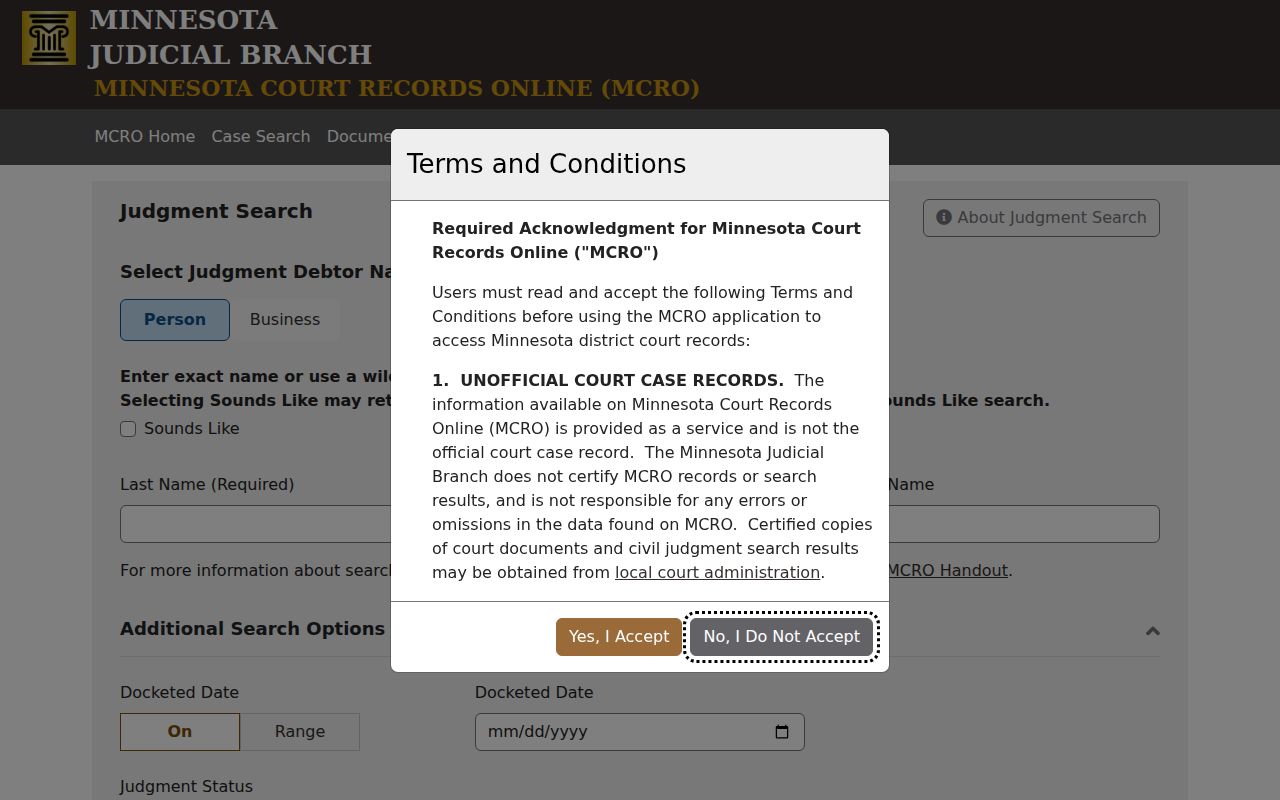
The dedicated fields suit a judgment inquiry. For the broader civil record, use the case-search route instead.
Civil Docket Settings and Hearings
Hunting a Todd County civil hearing? MCRO usually lists the date, time, location, judicial officer, hearing type, and connection type. The Register of Actions adds the chronological case events around that setting. Hearing Search works by name, case number, judicial officer, or attorney. You can narrow by date, category, and location. One caution: the local daily calendar is a scheduling snapshot, not the full civil docket.
To pull up a public setting, use MCRO Hearing Search or the Todd daily court calendar. A label such as motion hearing, conciliation hearing, or default hearing names the scheduled event. It says nothing about what the court will decide. Calendars can change during the day. Confirm any setting that matters to you with the court directly.
Note: A missing calendar listing can reflect access limits. It is not a notice that a civil hearing was cancelled.
Todd Civil Docket Documents After 2015
MCRO Document Search needs the complete case number. It is a document route, not a party-name search. Results list public documents newest first. They show the document title, related event, and date where the rules allow. If you lack the full number, start with Case Search. Then switch to the document interface for public file material.
Public major and minor civil documents have broader online availability from July 1, 2015 forward. Treat that date as a starting point, not a promise. Some later documents stay sealed or restricted. Some pre-2015 cases are not missing at all. Older, sealed, restricted, un-imaged, or paper material calls for a local inquiry. Court Administration and a courthouse public terminal are the practical fallback paths. Keep in mind that Minnesota eFile and eServe exists for filing and serving court papers, not public civil docket search.
Minnesota's court-rules hub publishes the current public-access rules. They govern what a Todd County civil docket document shows.
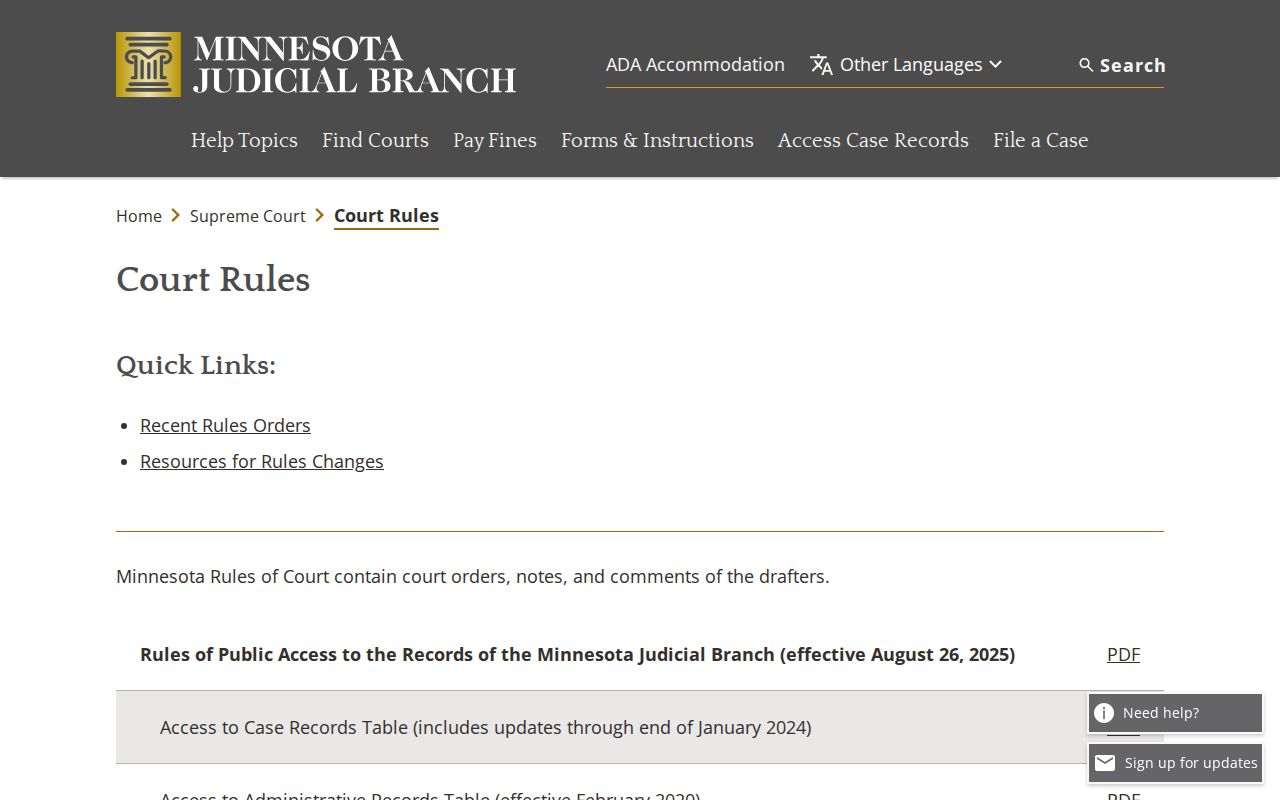
Availability turns on the current rule, the record type, and the court's access classification.
Civil Docket Access Rules
Minnesota Rule of Public Access to Records of the Judicial Branch, Rule 8 sets the public-record baseline for a Todd County civil docket. Anyone may inspect or copy public records where they are normally kept, during working hours. Remote access is tiered, though, and narrower than courthouse-terminal access. Rule 8 also treats the Register of Actions as the list identifying case title, origin, activity, proceedings, and filings.
Public access does not put every civil document online. Sealed filings, confidential information, restricted exhibits, medical material, and protected address or comment fields can receive different treatment. Minn. Stat. § 13.03 governs public county-government data practices. It is not a blanket override of judicial-record restrictions or the court copy process.
Access route. Use MCRO for ordinary online public access, a courthouse terminal for broader electronic district-court access within the rules, and Todd County Court Administration for certified copies, paper files, or a specific access question. A remote omission can be an access limit rather than proof that no court event occurred.
Rule 8's public-inspection and remote-access text sets out the access limits that apply to a Todd County civil docket.
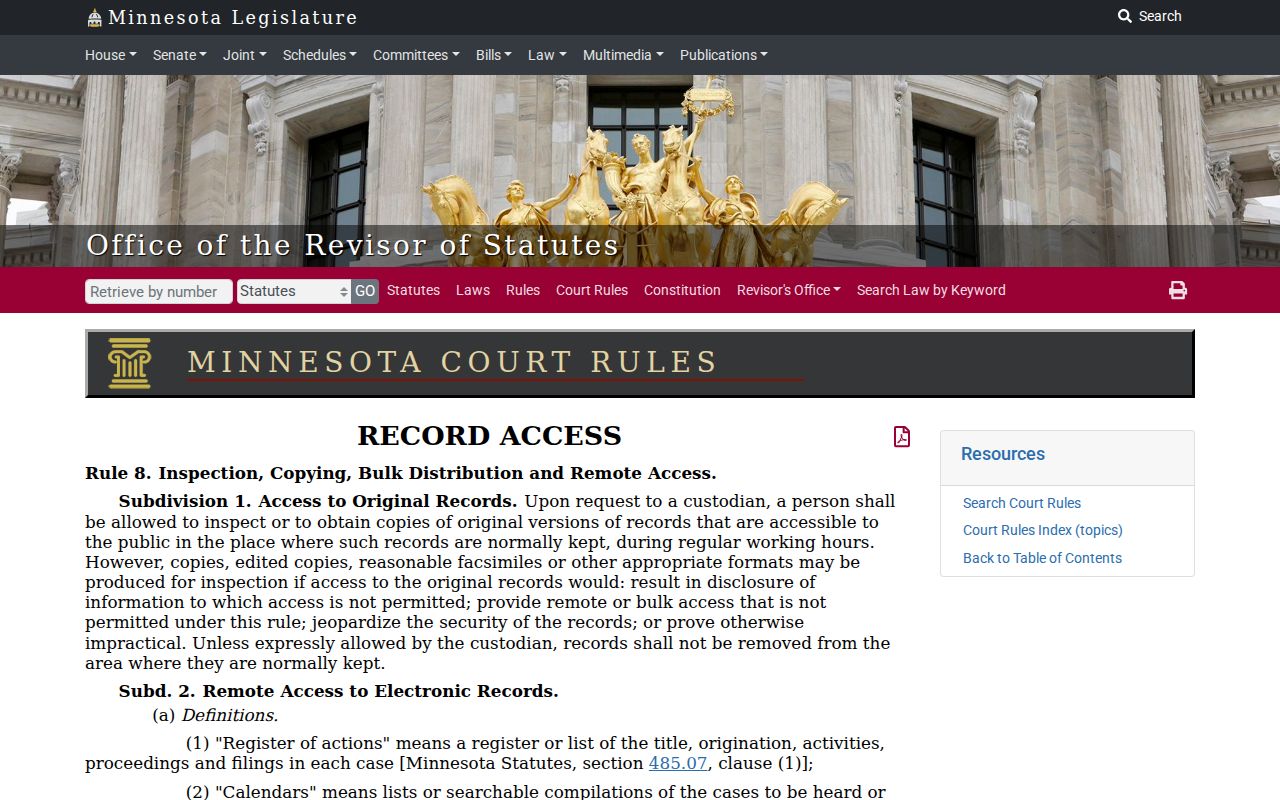
The rule frames access to the Register of Actions. Even so, an unofficial online result is never a certified court record.
Todd Civil Docket Copy Requests
For an official civil record, contact Todd County Court Administration / Court Administrator Kim Peterson at Todd County Courthouse, 221 First Avenue S., Suite 100, Long Prairie, MN 56347. You can also call 320-357-5005. The office is open Monday through Friday, 8:00 a.m. to 4:30 p.m. Include the court file number, a document description, and the date or index number. Add the copy type and the number of copies. Narrow requests help the court locate the right record faster.
Minnesota's copy-request guidance separates plain, certified, and exemplified copies. Remember that MCRO downloads and screenshots are never certified. The Todd fee catalog uses a $14 general benchmark. It applies to certified documents and to certified printouts, scans, pictures, or screenprints. An exemplified uncertified product generally runs $14. A certified and exemplified product generally runs $28. Confirm current costs and delivery options before sending payment.
Use the statewide copy-request form or a letter unless Court Administration provides a different route. Fax or email works only for plain nonconfidential material. Sealed material may require an access order first. The office posts no universal copy turnaround. Ask about expected completion, prepayment, and certified-copy availability before you submit a request.